
The website annotation tool that pins feedback to the exact element
Stop describing bugs in words. Open any live website, drop a pin, box, arrow or highlight right on the problem, and leave a comment that stays glued to that element, even when the page resizes or reflows.
Pinned on “GET A QUOTE” button
button.cta-primary · D: 1920 · stays glued on resize
This CTA disappears against the hero image. Can we lift the contrast?
Contrast is 2.4:1. Use the solid primary fill and #0F172A label to reach 8.1:1 (WCAG AAA).
Annotate any live page in seconds
Paste a URL and PinPoint loads the real, live website in your browser, no screenshots, no extensions, no code. Click to annotate exactly where the issue is, and PinPoint anchors your note to that element so it never drifts.
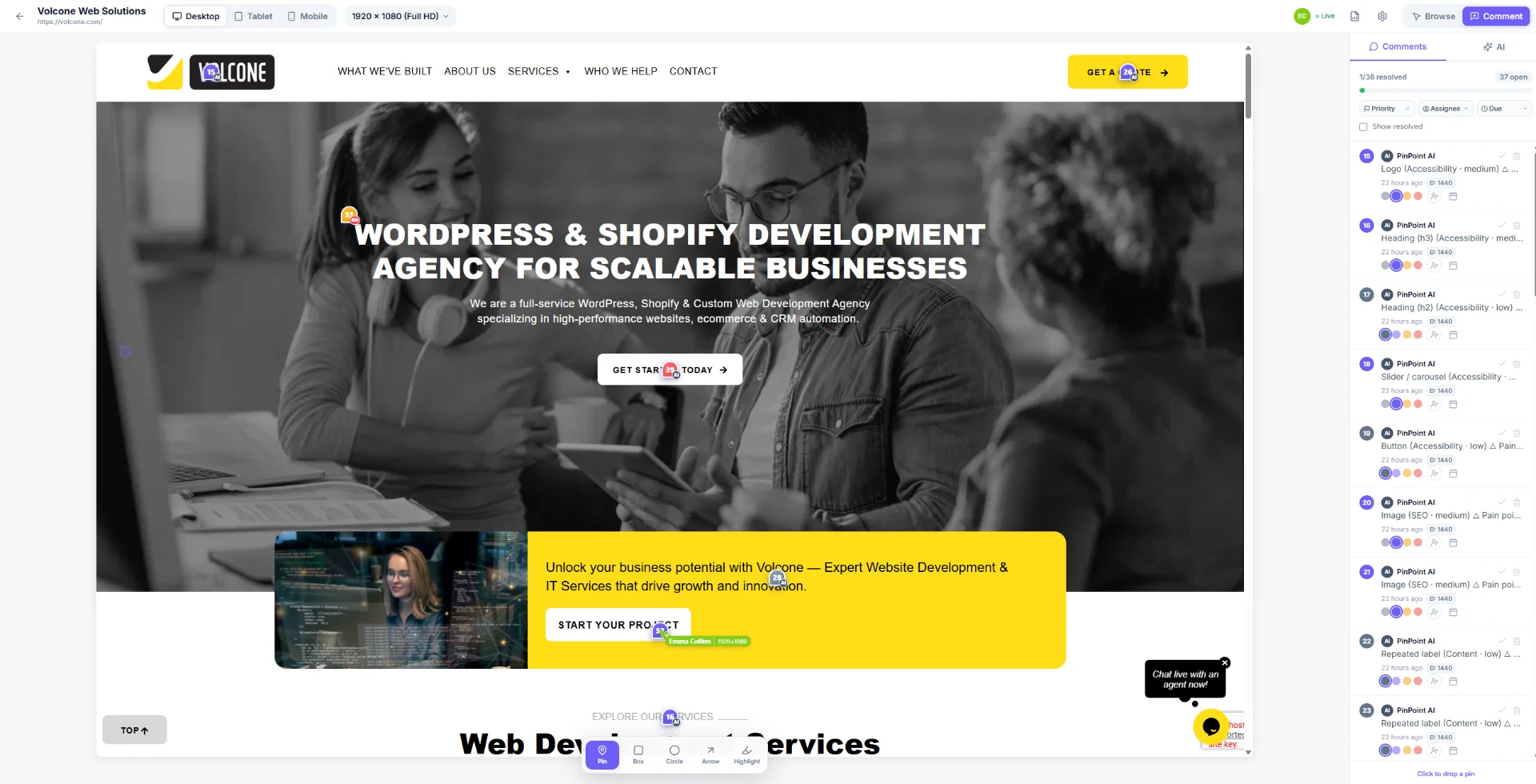
Four ways to mark up a page
Pin
Drop a numbered pin on a precise spot and comment right there.
Box
Outline a whole section or component when the issue is bigger than one point.
Arrow
Point from your note straight to the thing you actually mean.
Highlight
Mark up specific text or copy for rewrites and typo fixes.
Why it beats screenshots and long emails
Anchored, not floating
Annotations stay locked to the element across screen sizes and content changes, so “the button on the left” is never ambiguous.
On the real page
Reviewers see the live site in context, interactive, responsive and current, not a stale screenshot.
One source of truth
Every comment, reply and status lives on the page itself, not scattered across Slack, email and docs.
Annotate together, in real time
Invite teammates or clients and review the same page live, see each other's cursors, reply in threads, set priority and due dates, assign owners, and resolve annotations as they're fixed.
Headline contrast fails AA, and the sign up button sits below the fold on mobile.
Raj resolved pin #12, everyone sees it instantly
Just nowMore than annotation: AI QA built in
While you annotate, PinPoint's AI reviews the page for accessibility (WCAG), SEO, UX and speed, turning findings into fixable tasks right alongside your own notes.
Your human notes and the AI's findings land in one queue, with the same priorities, assignees and resolved status.
Logo lockup shrinks below 24px on scroll
Two H1 tags found on the hero section
“Get a qoute”, typo in primary CTA
Tap target 32×32px, below the 44px minimum
Who uses it
Agencies
Collect client feedback on live builds without the email ping-pong.
Design & product teams
Review staging builds together before anything ships.
QA teams
Catch layout, copy and accessibility issues before launch day.
Create your free workspace, no card required
PinPoint is free during early access. Paste a URL and start annotating in under a minute.